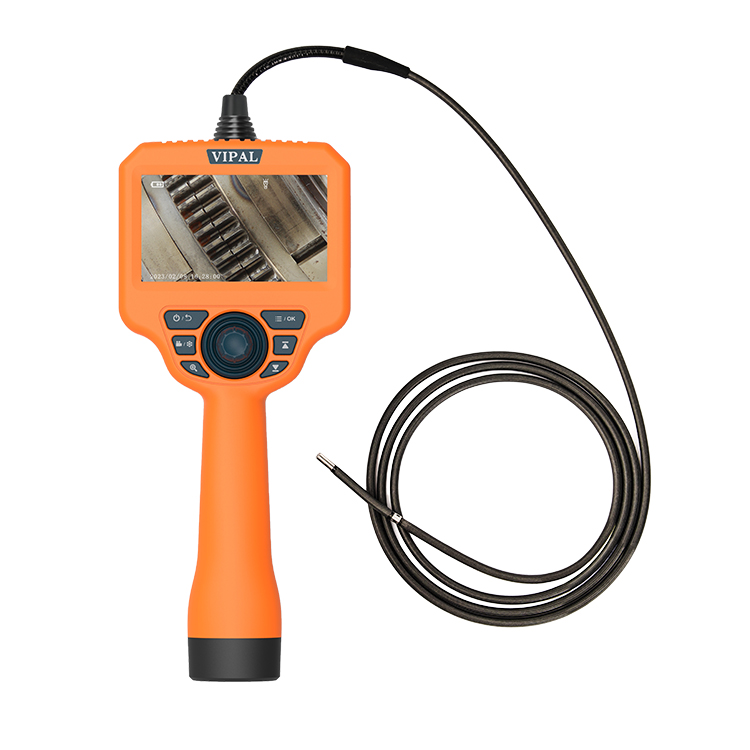

Industrial Videoscope with Touchscreen: What Features Should You Look For?
Category: News-
On: 2026-09-07
Introduction
An industrial videoscope is more than a probe and camera. The display and control interface can have a direct impact on inspection efficiency, operator comfort, and the overall inspection workflow.
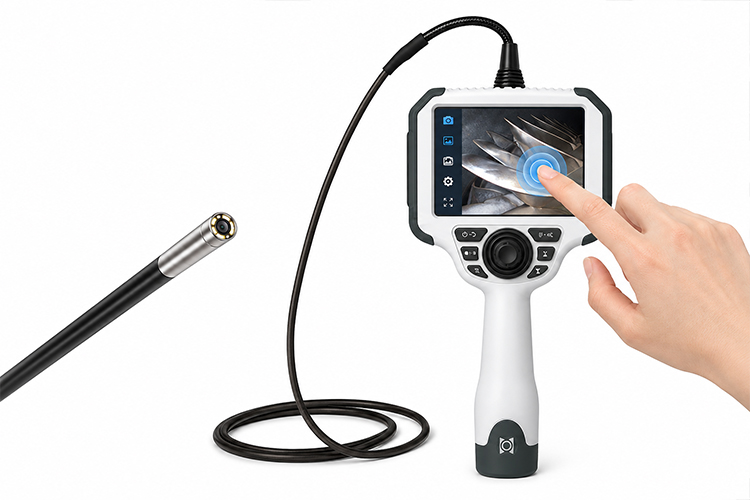
An industrial videoscope with touchscreen combines high-resolution imaging, intuitive controls, image and video recording, measurement functions, and inspection data management in a portable system. It can be used for visual inspection inside engines, gearboxes, pipes, castings, machinery, and other confined or difficult-to-access areas.
However, not all touchscreen videoscopes provide the same user experience. When selecting a system, it is important to evaluate the display, control system, imaging performance, software functions, portability, and overall inspection workflow rather than focusing on the touchscreen alone.
What Is an Industrial Videoscope with Touchscreen?
An industrial videoscope with touchscreen is a flexible remote visual inspection device that uses a touchscreen as its primary or secondary user interface.
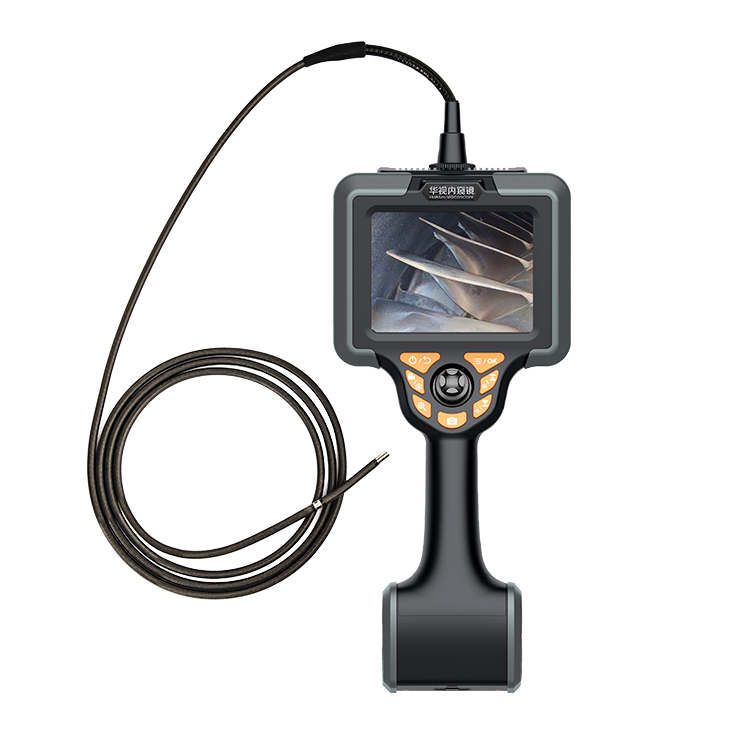
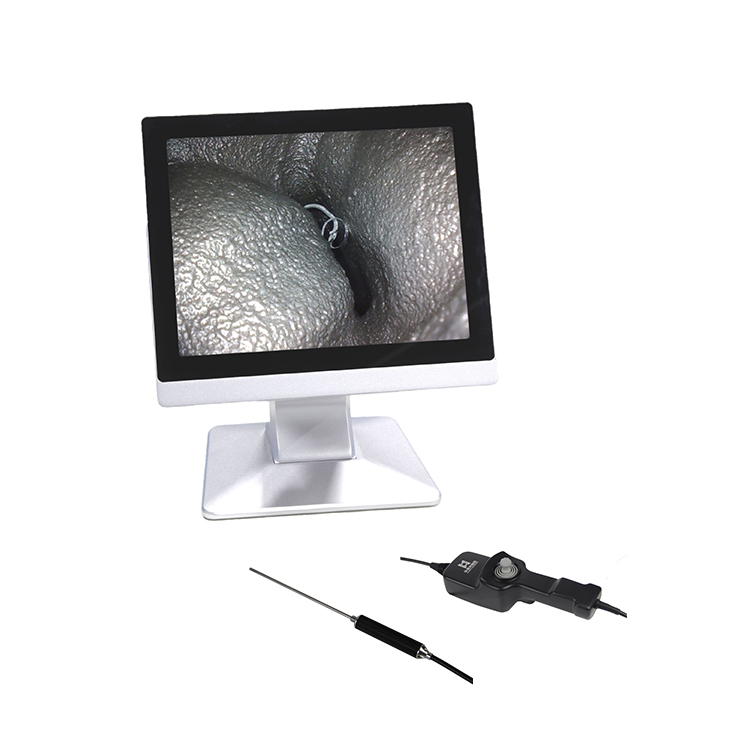
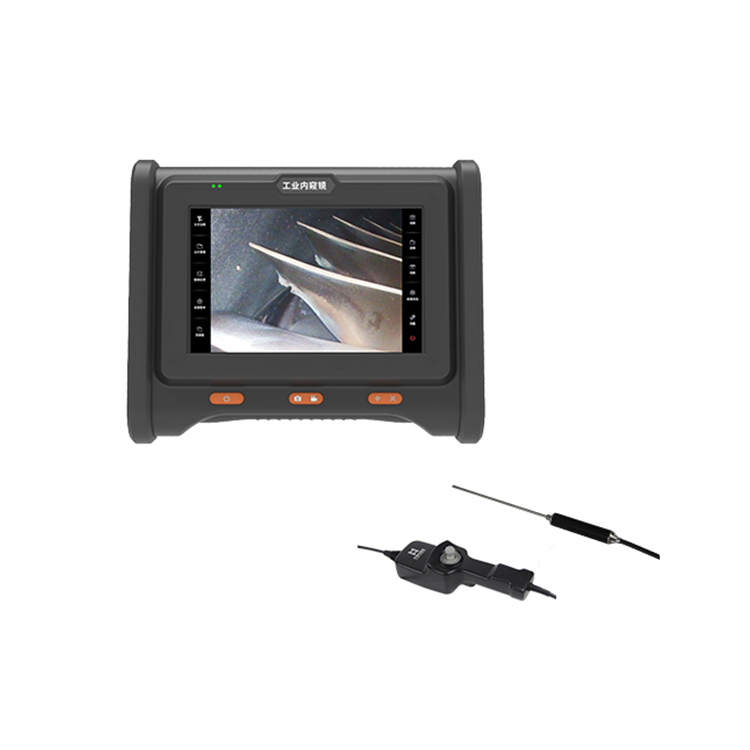
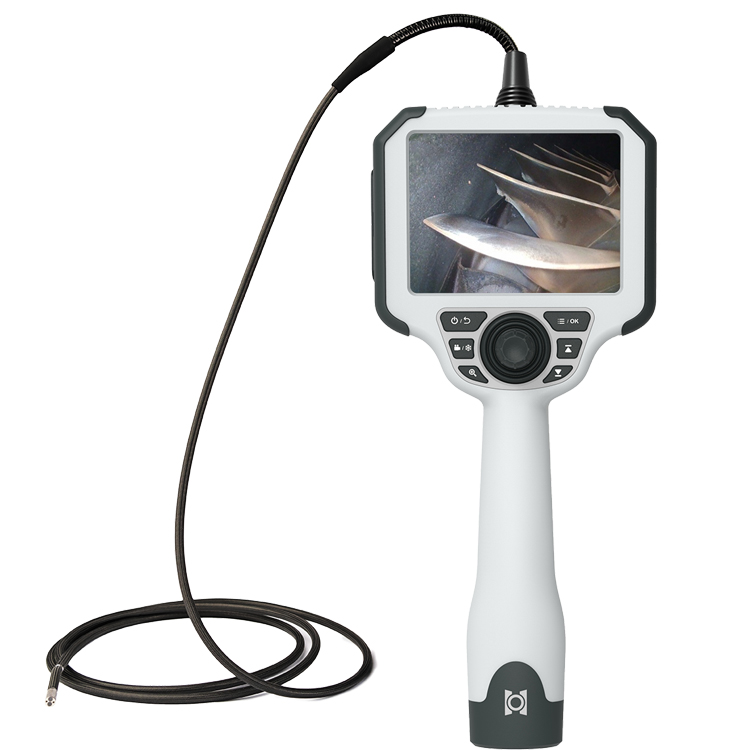
A typical system includes:
Flexible insertion probe
Camera at the distal tip
LED or other integrated illumination
Articulation mechanism
Main display unit
Touchscreen interface
Photo and video recording
Internal or removable storage
Rechargeable battery
Inspection and measurement software
Depending on the model, the touchscreen can be used for:
Live image viewing
Photo and video capture
File playback
Image adjustment
Digital zoom
Image annotation
Measurement
System settings
Inspection data management
The exact functions vary by videoscope model and configuration.
Why Is a Touchscreen Important for an Industrial Videoscope?
Traditional industrial borescopes often rely primarily on physical buttons, switches, or control knobs. These controls remain practical, especially in demanding industrial environments.
However, as videoscopes add more functions—such as image adjustment, measurement, annotation, file management, and inspection settings—an intuitive user interface becomes increasingly important.
A touchscreen can make these functions easier to access by providing a visual interface for the inspection workflow:
Live Inspection → Image Capture → Video Recording → Playback → Measurement → Settings
This can reduce the learning curve and make multifunction videoscopes easier to operate.
Touchscreen vs. Physical Controls
| Feature | Touchscreen | Physical Buttons / Joystick |
|---|---|---|
| Menu and system settings | Excellent | Good |
| Quick operation | Good | Excellent |
| Glove operation | Depends on touchscreen design | Generally reliable |
| Function expansion | Flexible | Limited by button layout |
| Probe articulation | Usually controlled separately | Dedicated joystick |
| Cleaning and maintenance | Easy with suitable surface design | Depends on mechanical structure |
For industrial inspection, a touchscreen + physical joystick + shortcut buttons is often a practical combination.
The touchscreen can handle menus, image functions, measurement, and file management, while the joystick controls probe articulation and physical buttons provide quick access to frequently used functions.
Key Features to Consider When Choosing a Touchscreen Videoscope
1. Display Quality
The display is one of the most important parts of a touchscreen videoscope because operators need to identify small defects while working in complex environments.
Screen Size
A larger screen can make small defects easier to observe and can be useful when reviewing inspection images or sharing the live image with another operator.
However, a larger display can also increase the size and weight of the system.
The ideal screen size depends on whether your priority is visual inspection, portability, measurement, or long-duration field work.
Screen Resolution
Screen resolution determines how finely the captured image is displayed. It should not be confused with camera resolution.
The camera and image sensor capture inspection details, while the display presents those details to the operator.
A high-resolution screen cannot recreate details that were never captured by the camera.
Therefore, both camera resolution and display resolution should be considered when evaluating a videoscope.
Screen Brightness
Industrial inspections may take place inside factories, workshops, power plants, outdoor equipment areas, or near brightly illuminated machinery.
A high-brightness display can improve visibility in strong ambient light and is particularly important for outdoor or field inspections.
Touch Response and Glove Compatibility
Industrial inspectors often wear gloves. A touchscreen should provide responsive operation and, where supported, reliable glove interaction.
It is also useful to consider:
Oil and dust resistance
Easy-to-clean surface
Scratch resistance
Operation in humid environments
For demanding environments, frequently used functions should ideally remain available through physical buttons or controls as a backup to touchscreen operation.
2. Image and Video Recording
Photo and video recording are essential for many industrial inspection tasks.
Inspection images can be used for:
Equipment maintenance
Quality control
Fault investigation
Inspection documentation
Before-and-after comparison
Maintenance records
Inspection reports
A touchscreen interface can make it easier to capture images, start or stop recording, review files, and manage inspection data.
Before purchasing, check:
Internal storage capacity
Memory card support
USB data transfer
Supported image formats
Supported video formats
File management functions
For frequent inspections, sufficient storage can reduce the need to transfer files during field work.
3. Battery Life
Battery life is another important consideration for portable videoscopes.
Actual operating time can be affected by:
Screen brightness
LED illumination level
Video recording
Wireless communication
Probe configuration
Operating temperature
Do not evaluate battery life based only on the manufacturer's headline figure. Compare the rated runtime with the expected duration of your typical inspection task.
For field applications, a replaceable battery or practical charging solution can also be valuable.
4. Measurement and Special Functions
A touchscreen can make advanced inspection functions easier to operate.
Measurement
For measurement videoscopes, the touchscreen can simplify:
Selecting measurement modes
Placing measurement points
Adjusting measurement views
Reviewing measurement results
Saving measurement data
However, measurement accuracy is determined primarily by the measurement technology, optics, calibration, image processing, working distance, target surface, and software algorithms.
Screen size itself does not determine measurement accuracy.
Dual View: Forward and Side View
A dual-view videoscope can provide both forward and side viewing, depending on the system design.
This can be useful when inspecting:
Pipes
Welds
Gearboxes
Engines
Castings
Internal machinery
Forward viewing helps navigate through the inspection path, while side viewing can provide a better view of surfaces positioned around the probe tip.
Probe Articulation
Probe articulation is normally controlled by a physical joystick or steering mechanism rather than by the touchscreen.
This separation is useful in practical inspection:
Joystick → Probe Direction
Touchscreen → Image and System Functions
The operator can therefore control the probe while continuously monitoring the live image and accessing inspection functions.
5. Imaging Performance Comes First
A touchscreen improves interaction, but it cannot compensate for poor imaging hardware.
When evaluating an industrial videoscope, pay close attention to:
Camera resolution
Image sensor performance
Lens and optical design
Illumination
Image processing
Field of view
Depth of field
Working distance
Overall imaging performance is more important than any single specification.
For example, a higher camera resolution does not automatically guarantee a better inspection image if the optics, lighting, sensor performance, or image processing are inadequate.
The best system is one that provides a clear and useful image under the actual conditions of the inspection.
6. Portability and Ergonomics
Industrial videoscopes are often moved between workshops, power plants, wind turbines, aircraft maintenance areas, automotive service facilities, and other inspection sites.
The system should therefore balance:
Screen size
Overall weight
Battery capacity
Probe diameter
Probe length
Handle design
Joystick position
Cable management
Probe storage
Ergonomics becomes particularly important during long inspections.
A well-designed handle, balanced weight distribution, conveniently positioned joystick, and appropriately angled display can reduce operator fatigue and make probe manipulation more comfortable.
Typical Industrial Applications
1. Automotive Inspection
An industrial videoscope can be used to inspect:
Engines
Transmission systems
Cylinders
Combustion chambers
Castings
Internal mechanical components
Images and videos can be recorded as inspection evidence for maintenance and quality control.
2. Gearbox Inspection
A touchscreen videoscope allows the operator to control probe articulation while monitoring the live image and recording inspection results.
This is particularly useful when inspecting gears, bearings, shafts, and other internal components.
3. Wind Power Inspection
Portable videoscopes can support inspection of difficult-to-access components such as wind turbine gearboxes.
A bright display, practical battery life, appropriate probe length, and good articulation can improve field inspection efficiency.
4. Aerospace Inspection
Videoscopes are widely used for remote visual inspection of difficult-to-access areas in aircraft and aerospace components.
For regulated applications, however, equipment selection and inspection procedures should follow the applicable maintenance documentation, inspection procedures, and industry requirements.
5. Manufacturing and Quality Inspection
Industrial videoscopes can support internal inspection of:
Castings
Welds
Molds
Machinery
Hydraulic passages
Internal cavities
Recorded images can also help create traceable inspection records.
Industrial Videoscope with Touchscreen: Purchasing Checklist
Before purchasing, check the following:
Screen size — Is it large enough for the inspection task?
Screen resolution — Does it properly display the camera output?
Screen brightness — Is it suitable for the actual working environment?
Touchscreen operation — Does it work reliably with gloves if required?
Physical controls — Does the system include a joystick and shortcut buttons?
Probe articulation — Is the steering manual or motorized?
Camera resolution — Is the imaging system suitable for the target defects?
Storage — Is the capacity sufficient for your inspection workload?
Data export — Can images and videos be transferred conveniently?
Battery life — Can it cover a typical inspection session?
Probe options — Are different diameters and lengths available?
Replaceable probes — Can the probe be replaced without replacing the entire system?
Measurement — Do you need measurement or 3D measurement capabilities?
Viewing direction — Would forward, side, or dual-view inspection be useful?
Environmental protection — Is the equipment suitable for dust, moisture, temperature, and other site conditions?
WorldNDT Industrial Videoscopes with Touchscreen
WorldNDT develops industrial remote visual inspection solutions around the complete inspection workflow:
Insertion → Navigation → Visual Inspection → Defect Identification → Photo/Video Capture → Data Storage → Review
Depending on the model and configuration, WorldNDT industrial videoscopes can be equipped with:
HD touchscreen displays
Articulating probes
Multiple probe diameters and lengths
Photo and video recording
Measurement functions
Forward-view or side-view configurations
Dual-view options
Portable inspection designs
The goal is not simply to provide a larger touchscreen, but to create an inspection system that is practical to operate in real industrial environments.
Frequently Asked Questions
What is an industrial videoscope with touchscreen?
It is a flexible remote visual inspection device equipped with a touchscreen display. The touchscreen can be used for live image viewing, photo and video recording, playback, image adjustment, measurement, and system settings, depending on the model.
Is a touchscreen better than physical buttons?
Neither is universally better.
Touchscreens provide flexible and intuitive access to multiple functions, while physical buttons and joysticks can be easier to use with gloves and in demanding industrial environments.
For many applications, a combination of touchscreen + physical controls is the most practical solution.
What is the best screen size for an industrial videoscope?
There is no universal best screen size.
A larger screen can improve viewing and image review, while a smaller screen can reduce overall size and weight.
The right choice depends on the inspection environment and portability requirements.
Does screen resolution improve camera image quality?
No.
The camera and image sensor determine how much detail is captured. The screen determines how that captured image is displayed.
A high-resolution display cannot recover details that were not captured by the camera.
Can a touchscreen videoscope be used outdoors?
Yes, provided the system is designed for the environment.
Important factors include display brightness, environmental protection, operating temperature, battery life, and resistance to dust or moisture.
Does a touchscreen improve measurement?
It can make measurement functions easier to operate, including selecting measurement modes and placing measurement points.
However, measurement accuracy depends primarily on the measurement hardware, calibration, optics, algorithms, working distance, and target surface—not simply on the touchscreen.
Conclusion
An industrial videoscope with touchscreen can make remote visual inspection more intuitive and efficient, but the touchscreen should not be the only purchasing criterion.
A professional inspection system should provide a balanced combination of:
Imaging performance
Display quality
Illumination
Probe diameter and length
Articulation performance
Recording and storage
Battery life
Ergonomics
Measurement capabilities
Environmental suitability
The best videoscope is not necessarily the one with the largest or highest-resolution touchscreen. It is the system that allows inspectors to see clearly, control the probe accurately, document findings efficiently, and complete the inspection workflow reliably.
If you are selecting a touchscreen industrial videoscope, provide your inspection application, access opening, required inspection depth, and target components to WorldNDT to determine a suitable configuration.